Document scanner for iPhone

PyonScan
Available now on the App Store.

Capture and straighten documents on your iPhone, then save them as JPEG, HEIF, PNG, or multipage PDFs.
Free features
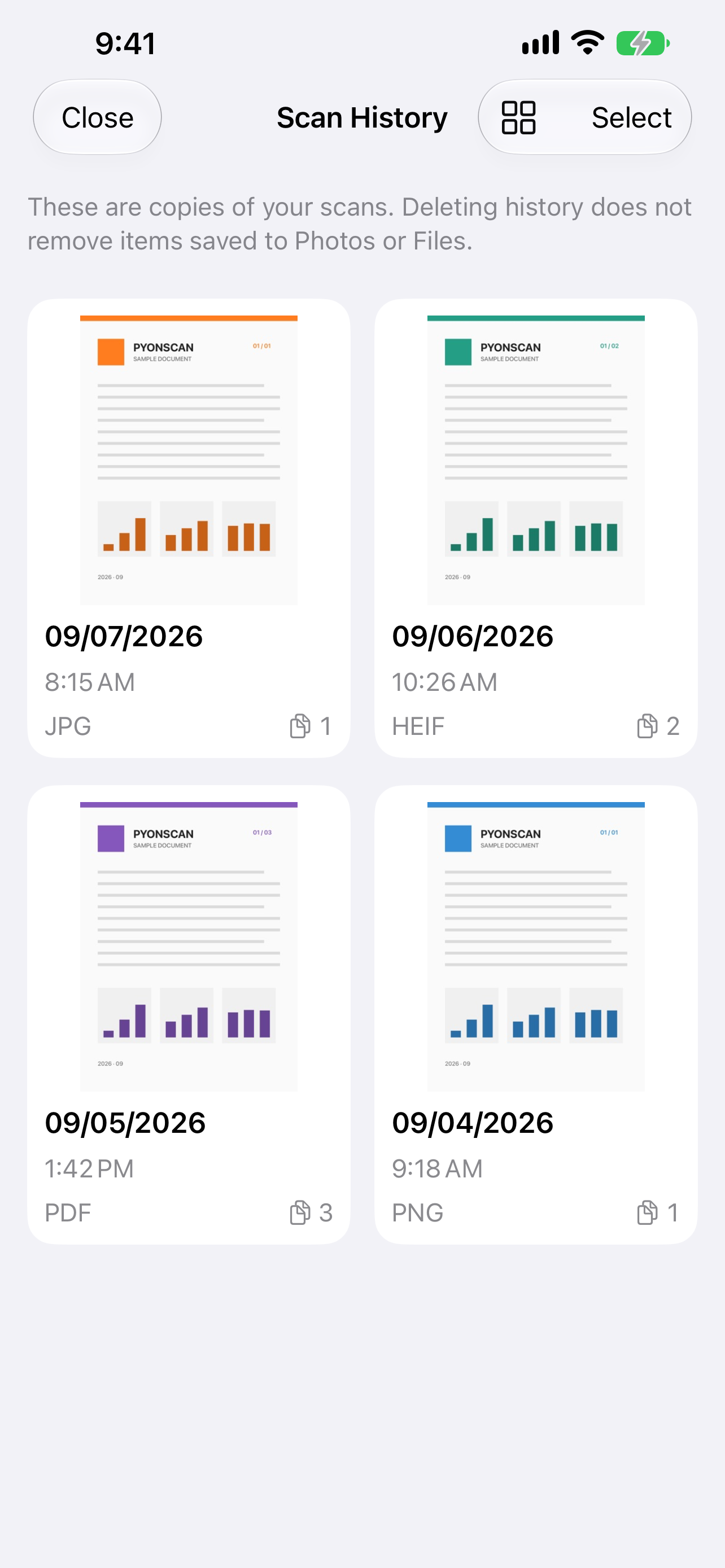
Scan, crop, and straighten documents. Save JPG images to Photos and keep your 10 most recent scan sessions in history.
PyonScan Plus (one-time purchase)
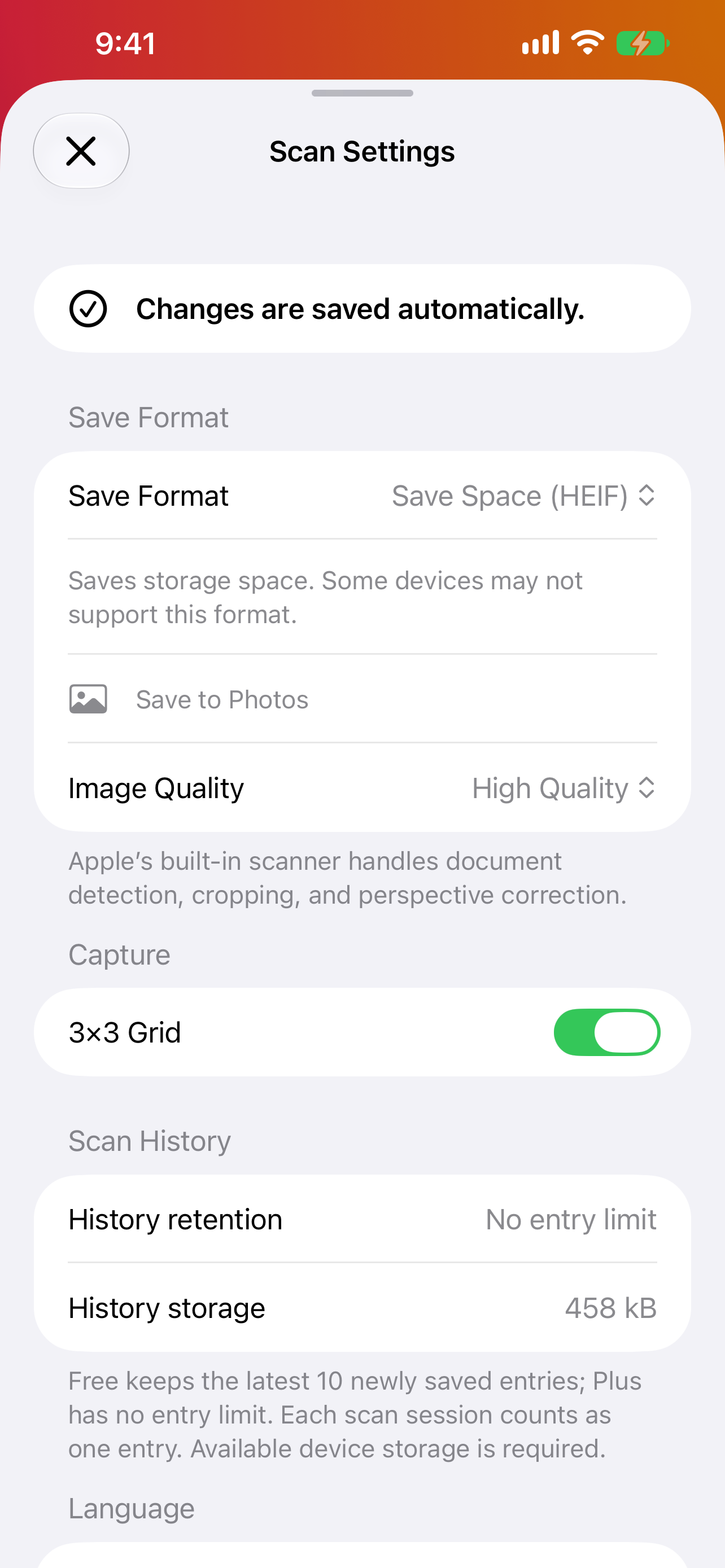
Save as HEIF, PNG, or PDF. Choose from four quality levels (except for PNG), use a 3×3 grid, and keep history without an entry limit.
History requires available storage on your device.
Ad-free, even in the free version. No subscriptions.
See the in-app purchase screen for the price of Plus.
Inside PyonScan
Actual scan history and scan settings screens in English, with Plus enabled. Tap an image to enlarge it.